Donatello / Full Video / GTA VI
Make a GTA 6–style trailer starring you and your friends
Tell your own story in bold ink and painted shadows. Full Video Creator turns an idea or script into illustrated scenes with a voice, subtitles and optional animation. Export the finished story as an MP4.
Free to use · Unlimited with eligible Relax Mode · Commercial use under the Terms
No subscription required. When you have insufficient credits and no surveys are available, eligible operations enter the slower Relax queue automatically. Free capacity and fair use apply; optional credits give higher priority. Read the Terms.
Original friends trailer · 9:16 · 26 s
La última proyección

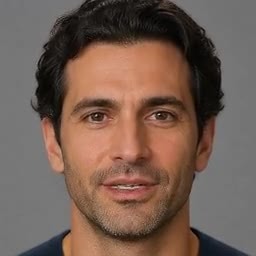
Two fictional adults, two reference portraits and one original story. Compare the inputs with the final shot. Spanish narration; no customer photos or game footage.
Editorial demo made with credits, not a test of Relax eligibility or waiting time.
Inspect the original export →How do I put myself and my friends in a GTA-style video?
Give each person a different name in your script. Say who appears in each scene; start with one person per shot and bring the cast together for the reveal.
Choose a voice or no narration. Once the cast is ready, upload a clear photo to each matching character before creating the scene images. Only use photos you have permission to use.
Review each illustration before animating it. Check faces, outfits and who appears together. The photos guide the cast; exact likeness and continuity are not guaranteed.
Make a vertical GTA-style trailer for Shorts, Reels or TikTok
The editor opens with an editable script and aspect ratio. Replace the names before you create your project. Opening the template does not start a generation.
Read the editable script
Inés had ten minutes of daylight left and a film nobody had seen in thirty years. Leo was waiting on the roof. He had promised that, for one night, their cinema would light up again. When the projector flickered on, Inés and Leo looked down. The whole neighborhood had come out for opening night.
Make a widescreen trailer from a script
Tell your own story in bold ink and painted shadows. Full Video Creator turns an idea or script into illustrated scenes with a voice, subtitles and optional animation. Export the finished story as an MP4.
Read the editable script
At sunset, the last ferry sounded its horn. Across the inlet, every window was dark except one: the old projection booth above the pier. Halfway across, a ribbon of gold stretched over the water. It wasn't the moon. Someone on the far shore had started the projector. A white sail caught the light. For one quiet minute the whole harbor watched a little bird fly, and nobody wanted the crossing to end.
Original short film · 31 s
The Last Crossing
A ferry leaves an empty pier at sunset. Halfway across, a projector lights the water; on the other shore, a bird appears on a sail. Three illustrated scenes, with generated motion in the crossing shot.
English narration · English and Spanish captions. Editorial demo made with credits, not a test of Relax eligibility or waiting time.
Watch and verify the original export →From a script to an illustrated trailer
Write the story
Give the editor an idea or paste your script. Specify who is in the scene, where it happens and what changes. The style changes the artwork, not the setting of your story.
Direct the scenes
Review the storyboard and illustrations. Keep a scene still or animate an eligible shot. For a trailer, use a wide establishing image, a moving middle shot and a distinct final image.
Finish and export
Choose the narration and subtitles, add music if you want, then export the MP4. It is an illustrated story, not gameplay capture or continuous character animation.
Can I make unlimited GTA-style videos for free?
Yes, through eligible Relax Mode. Unlimited means no lifetime generation quota or fixed project count, not instant or uninterrupted rendering. Each Full Video project can request up to 30 minutes; individual operations and retries may have their own waits. No subscription required. When you have insufficient credits and no surveys are available, eligible operations enter the slower Relax queue automatically. Free capacity and fair use apply; optional credits give higher priority.
Can I use my video commercially?
Donatello permits commercial use of the output under its Terms, including on the free path. Use a script, characters, music and other materials you own or have permission to use. This unofficial visual style grants no licence to Rockstar logos, characters, game footage or soundtracks. Read the Terms · Product facts